


- Immediate delivery by email
- 100% money-back guarantee
- Certified Swiss online shop
- Purchase on invoice


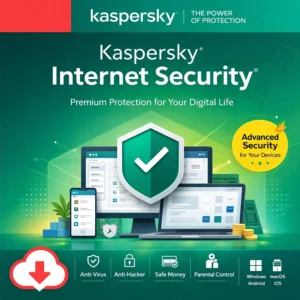
Many security issues do not begin with an "alarm", but with a perfectly ordinary moment: a login you want to complete quickly, a file someone sends as "urgent", or a purchase you make without thinking twice. That is exactly where Kaspersky Internet Security was strong as a classic suite - it combines protection against malware with internet protection layers, so phishing, insecure connections or manipulated websites do not turn into a real problem.
In practice, it’s about keeping the basics under control: fewer risky clicks, safer logins, and more visibility over what happens on your network thanks to the firewall. You also get privacy-oriented features like webcam protection. And when you shop or use online banking, Safe Money adds a more protected layer for transactions — precisely when your data matters most.
In the older lineup, Kaspersky Anti-Virus was the entry option, while Internet Security was the upgrade for people who wanted more web and privacy protection. Kaspersky now communicates that Internet Security has been replaced by the newer plans — you’ll see that explained in the SEO part.
Buying Kaspersky Internet Security at SwissSoftware24 means you receive your digital product quickly by email, including the activation key, the official download link, and a Swiss invoice suitable for accounting. You also benefit from clear processes for private customers and businesses, so activation and setup stay smooth from start to finish.
Kaspersky Internet Security is a classic consumer security suite for everyday online use. It combines malware protection with anti-phishing, firewall/network controls, and features aimed at safer online banking and payments. Kaspersky also notes that this product has been replaced by the newer plans Kaspersky Standard, Kaspersky Plus, and Kaspersky Premium.
The firewall in Kaspersky Internet Security can be configured in the settings and controls how applications and connections are handled in the network. This is especially relevant if you spend a lot of time on Wi-Fi networks or simply want more control over network access.
Safe Money is designed to protect financial transactions - for example when you use banks, payment systems or online shops and enter card details. It targets exactly the area where phishing and manipulation can become especially expensive.
Webcam Protection is described as a component intended to prevent unauthorized access to the webcam. In practice, this is especially useful for video calls, remote work and any situation where you don’t want an app to access the camera “silently”.
Kaspersky states on its official page that Kaspersky Internet Security has been replaced by the new plans Kaspersky Standard, Kaspersky Plus and Kaspersky Premium.
Kaspersky describes that during the term of your current product you can switch to a new Kaspersky Standard or Kaspersky Plus - including by using the activation code of your existing product.
In Kaspersky’s new consumer structure, the mid-tier plan is referred to as Kaspersky Plus Internet Security, while Standard and Premium sit below and above it.

Who is Kaspersky Internet Security for?
For users who want a classic suite: malware protection plus additional internet protection layers such as anti-phishing, a firewall and privacy features. Kaspersky describes Internet Security as a solution against various threats as well as network and phishing attacks.
How does Kaspersky Internet Security differ from a pure antivirus product?
The difference lies in the additional protection components: a firewall for network rules, Safe Money for financial transactions and Webcam Protection as a privacy layer. This goes beyond simply scanning.
What are the main benefits of Kaspersky Internet Security?
The core benefits include threat protection, phishing protection, firewall control and extra protection when paying (Safe Money). Webcam protection against unauthorised access is also included.
Does Kaspersky Internet Security have a firewall?
Yes. Kaspersky describes firewall settings within Kaspersky Internet Security, including rules for each connection and application.
What does Safe Money actually do?
Safe Money protects financial transactions when you use online banking, payment systems or shops and enter payment details. The aim is to give these sensitive steps stronger protection.
How does webcam protection work?
Webcam Protection is described as a component designed to prevent unauthorised access to the webcam. You can allow or block access and be notified when the camera is in use.
Can Kaspersky Internet Security still be purchased or has it been replaced?
Kaspersky states on its official website that Kaspersky Internet Security has been replaced by the new Standard, Plus and Premium plans.
Can I switch to the new plans with an existing product code?
Yes. With the Kaspersky Internet Security activation code, you can switch to Kaspersky Standard while the licence is still valid.
Who is Kaspersky Internet Security for?
For users who want a classic suite: malware protection plus additional internet protection layers such as anti-phishing, a firewall and privacy features. Kaspersky describes Internet Security as a solution against various threats as well as network and phishing attacks.
How does Kaspersky Internet Security differ from a pure antivirus product?
The difference lies in the additional protection components: a firewall for network rules, Safe Money for financial transactions and Webcam Protection as a privacy layer. This goes beyond simply scanning.
What are the main benefits of Kaspersky Internet Security?
The core benefits include threat protection, phishing protection, firewall control and extra protection when paying (Safe Money). Webcam protection against unauthorised access is also included.
Does Kaspersky Internet Security have a firewall?
Yes. Kaspersky describes firewall settings within Kaspersky Internet Security, including rules for each connection and application.
What does Safe Money actually do?
Safe Money protects financial transactions when you use online banking, payment systems or shops and enter payment details. The aim is to give these sensitive steps stronger protection.
How does webcam protection work?
Webcam Protection is described as a component designed to prevent unauthorised access to the webcam. You can allow or block access and be notified when the camera is in use.
Can Kaspersky Internet Security still be purchased or has it been replaced?
Kaspersky states on its official website that Kaspersky Internet Security has been replaced by the new Standard, Plus and Premium plans.
Can I switch to the new plans with an existing product code?
Yes. With the Kaspersky Internet Security activation code, you can switch to Kaspersky Standard while the licence is still valid.
Who is Kaspersky Internet Security for?
For users who want a classic suite: malware protection plus additional internet protection layers such as anti-phishing, a firewall and privacy features. Kaspersky describes Internet Security as a solution against various threats as well as network and phishing attacks.
How does Kaspersky Internet Security differ from a pure antivirus product?
The difference lies in the additional protection components: a firewall for network rules, Safe Money for financial transactions and Webcam Protection as a privacy layer. This goes beyond simply scanning.
What are the main benefits of Kaspersky Internet Security?
The core benefits include threat protection, phishing protection, firewall control and extra protection when paying (Safe Money). Webcam protection against unauthorised access is also included.
Does Kaspersky Internet Security have a firewall?
Yes. Kaspersky describes firewall settings within Kaspersky Internet Security, including rules for each connection and application.
What does Safe Money actually do?
Safe Money protects financial transactions when you use online banking, payment systems or shops and enter payment details. The aim is to give these sensitive steps stronger protection.
How does webcam protection work?
Webcam Protection is described as a component designed to prevent unauthorised access to the webcam. You can allow or block access and be notified when the camera is in use.
Can Kaspersky Internet Security still be purchased or has it been replaced?
Kaspersky states on its official website that Kaspersky Internet Security has been replaced by the new Standard, Plus and Premium plans.
Can I switch to the new plans with an existing product code?
Yes. With the Kaspersky Internet Security activation code, you can switch to Kaspersky Standard while the licence is still valid.
Who is Kaspersky Internet Security for?
For users who want a classic suite: malware protection plus additional internet protection layers such as anti-phishing, a firewall and privacy features. Kaspersky describes Internet Security as a solution against various threats as well as network and phishing attacks.
How does Kaspersky Internet Security differ from a pure antivirus product?
The difference lies in the additional protection components: a firewall for network rules, Safe Money for financial transactions and Webcam Protection as a privacy layer. This goes beyond simply scanning.
What are the main benefits of Kaspersky Internet Security?
The core benefits include threat protection, phishing protection, firewall control and extra protection when paying (Safe Money). Webcam protection against unauthorised access is also included.
Does Kaspersky Internet Security have a firewall?
Yes. Kaspersky describes firewall settings within Kaspersky Internet Security, including rules for each connection and application.
What does Safe Money actually do?
Safe Money protects financial transactions when you use online banking, payment systems or shops and enter payment details. The aim is to give these sensitive steps stronger protection.
How does webcam protection work?
Webcam Protection is described as a component designed to prevent unauthorised access to the webcam. You can allow or block access and be notified when the camera is in use.
Can Kaspersky Internet Security still be purchased or has it been replaced?
Kaspersky states on its official website that Kaspersky Internet Security has been replaced by the new Standard, Plus and Premium plans.
Can I switch to the new plans with an existing product code?
Yes. With the Kaspersky Internet Security activation code, you can switch to Kaspersky Standard while the licence is still valid.
Who is Kaspersky Internet Security for?
For users who want a classic suite: malware protection plus additional internet protection layers such as anti-phishing, a firewall and privacy features. Kaspersky describes Internet Security as a solution against various threats as well as network and phishing attacks.
How does Kaspersky Internet Security differ from a pure antivirus product?
The difference lies in the additional protection components: a firewall for network rules, Safe Money for financial transactions and Webcam Protection as a privacy layer. This goes beyond simply scanning.
What are the main benefits of Kaspersky Internet Security?
The core benefits include threat protection, phishing protection, firewall control and extra protection when paying (Safe Money). Webcam protection against unauthorised access is also included.
Does Kaspersky Internet Security have a firewall?
Yes. Kaspersky describes firewall settings within Kaspersky Internet Security, including rules for each connection and application.
What does Safe Money actually do?
Safe Money protects financial transactions when you use online banking, payment systems or shops and enter payment details. The aim is to give these sensitive steps stronger protection.
How does webcam protection work?
Webcam Protection is described as a component designed to prevent unauthorised access to the webcam. You can allow or block access and be notified when the camera is in use.
Can Kaspersky Internet Security still be purchased or has it been replaced?
Kaspersky states on its official website that Kaspersky Internet Security has been replaced by the new Standard, Plus and Premium plans.
Can I switch to the new plans with an existing product code?
Yes. With the Kaspersky Internet Security activation code, you can switch to Kaspersky Standard while the licence is still valid.
Who is Kaspersky Internet Security for?
For users who want a classic suite: malware protection plus additional internet protection layers such as anti-phishing, a firewall and privacy features. Kaspersky describes Internet Security as a solution against various threats as well as network and phishing attacks.
How does Kaspersky Internet Security differ from a pure antivirus product?
The difference lies in the additional protection components: a firewall for network rules, Safe Money for financial transactions and Webcam Protection as a privacy layer. This goes beyond simply scanning.
What are the main benefits of Kaspersky Internet Security?
The core benefits include threat protection, phishing protection, firewall control and extra protection when paying (Safe Money). Webcam protection against unauthorised access is also included.
Does Kaspersky Internet Security have a firewall?
Yes. Kaspersky describes firewall settings within Kaspersky Internet Security, including rules for each connection and application.
What does Safe Money actually do?
Safe Money protects financial transactions when you use online banking, payment systems or shops and enter payment details. The aim is to give these sensitive steps stronger protection.
How does webcam protection work?
Webcam Protection is described as a component designed to prevent unauthorised access to the webcam. You can allow or block access and be notified when the camera is in use.
Can Kaspersky Internet Security still be purchased or has it been replaced?
Kaspersky states on its official website that Kaspersky Internet Security has been replaced by the new Standard, Plus and Premium plans.
Can I switch to the new plans with an existing product code?
Yes. With the Kaspersky Internet Security activation code, you can switch to Kaspersky Standard while the licence is still valid.
Who is Kaspersky Internet Security for?
For users who want a classic suite: malware protection plus additional internet protection layers such as anti-phishing, a firewall and privacy features. Kaspersky describes Internet Security as a solution against various threats as well as network and phishing attacks.
How does Kaspersky Internet Security differ from a pure antivirus product?
The difference lies in the additional protection components: a firewall for network rules, Safe Money for financial transactions and Webcam Protection as a privacy layer. This goes beyond simply scanning.
What are the main benefits of Kaspersky Internet Security?
The core benefits include threat protection, phishing protection, firewall control and extra protection when paying (Safe Money). Webcam protection against unauthorised access is also included.
Does Kaspersky Internet Security have a firewall?
Yes. Kaspersky describes firewall settings within Kaspersky Internet Security, including rules for each connection and application.
What does Safe Money actually do?
Safe Money protects financial transactions when you use online banking, payment systems or shops and enter payment details. The aim is to give these sensitive steps stronger protection.
How does webcam protection work?
Webcam Protection is described as a component designed to prevent unauthorised access to the webcam. You can allow or block access and be notified when the camera is in use.
Can Kaspersky Internet Security still be purchased or has it been replaced?
Kaspersky states on its official website that Kaspersky Internet Security has been replaced by the new Standard, Plus and Premium plans.
Can I switch to the new plans with an existing product code?
Yes. With the Kaspersky Internet Security activation code, you can switch to Kaspersky Standard while the licence is still valid.
Who is Kaspersky Internet Security for?
For users who want a classic suite: malware protection plus additional internet protection layers such as anti-phishing, a firewall and privacy features. Kaspersky describes Internet Security as a solution against various threats as well as network and phishing attacks.
How does Kaspersky Internet Security differ from a pure antivirus product?
The difference lies in the additional protection components: a firewall for network rules, Safe Money for financial transactions and Webcam Protection as a privacy layer. This goes beyond simply scanning.
What are the main benefits of Kaspersky Internet Security?
The core benefits include threat protection, phishing protection, firewall control and extra protection when paying (Safe Money). Webcam protection against unauthorised access is also included.
Does Kaspersky Internet Security have a firewall?
Yes. Kaspersky describes firewall settings within Kaspersky Internet Security, including rules for each connection and application.
What does Safe Money actually do?
Safe Money protects financial transactions when you use online banking, payment systems or shops and enter payment details. The aim is to give these sensitive steps stronger protection.
How does webcam protection work?
Webcam Protection is described as a component designed to prevent unauthorised access to the webcam. You can allow or block access and be notified when the camera is in use.
Can Kaspersky Internet Security still be purchased or has it been replaced?
Kaspersky states on its official website that Kaspersky Internet Security has been replaced by the new Standard, Plus and Premium plans.
Can I switch to the new plans with an existing product code?
Yes. With the Kaspersky Internet Security activation code, you can switch to Kaspersky Standard while the licence is still valid.
 German German
 English
 French
 Italian



Reviews
There are no reviews yet.