


- Immediate delivery by email
- 100% money-back guarantee
- Certified Swiss online shop
- Purchase on invoice


Who is Kaspersky Plus for?
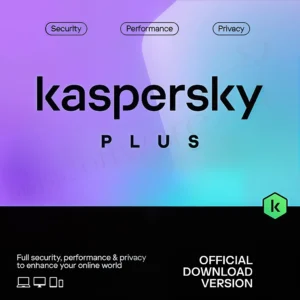
Kaspersky Plus is for users who want reliable protection against malware and ransomware and also value privacy tools such as a VPN and password manager. It suits households with several devices and people who often shop or bank online. The exact platforms and versions depend on the device.
How does Kaspersky Plus differ from other security products?
Kaspersky Plus combines security features with privacy and performance features in one product. These include an unlimited VPN, a password manager and a Data Leak Checker, which many solutions don't offer together. This reduces the need for additional tools.
What are the main benefits of Kaspersky Plus?
The main benefits are real-time protection, anti-phishing, a firewall, protection for online payments, an unlimited VPN and a password manager. There are also performance features such as optimisation and a hard drive health check. Together they cover security, privacy and device maintenance.
Is a password manager included?
Yes. Kaspersky Password Manager is included in Kaspersky Plus (and Premium). It stores and syncs logins and sensitive data securely.
Is there a Data Leak Checker and what does it do?
Yes. The Data Leak Checker helps you check whether account details linked to your email address have appeared in known data leaks. This helps you react quickly and change your passwords.
Which systems does Kaspersky Plus run on?
Kaspersky Plus is designed for Windows, macOS, Android and iOS. You will find the supported versions and technical requirements in the System requirements section.
Can I switch from older Kaspersky products to Kaspersky Plus?
Yes, for licences that have not yet expired. With your existing activation code, Kaspersky Total Security and Kaspersky Security Cloud switch to Plus, while Kaspersky Anti-Virus and Kaspersky Internet Security switch to Standard. When switching from Total Security, the iOS and Android apps are only available in Free Mode.
Who is Kaspersky Plus for?
Kaspersky Plus is for users who want reliable protection against malware and ransomware and also value privacy tools such as a VPN and password manager. It suits households with several devices and people who often shop or bank online. The exact platforms and versions depend on the device.
How does Kaspersky Plus differ from other security products?
Kaspersky Plus combines security features with privacy and performance features in one product. These include an unlimited VPN, a password manager and a Data Leak Checker, which many solutions don't offer together. This reduces the need for additional tools.
What are the main benefits of Kaspersky Plus?
The main benefits are real-time protection, anti-phishing, a firewall, protection for online payments, an unlimited VPN and a password manager. There are also performance features such as optimisation and a hard drive health check. Together they cover security, privacy and device maintenance.
Is a password manager included?
Yes. Kaspersky Password Manager is included in Kaspersky Plus (and Premium). It stores and syncs logins and sensitive data securely.
Is there a Data Leak Checker and what does it do?
Yes. The Data Leak Checker helps you check whether account details linked to your email address have appeared in known data leaks. This helps you react quickly and change your passwords.
Which systems does Kaspersky Plus run on?
Kaspersky Plus is designed for Windows, macOS, Android and iOS. You will find the supported versions and technical requirements in the System requirements section.
Can I switch from older Kaspersky products to Kaspersky Plus?
Yes, for licences that have not yet expired. With your existing activation code, Kaspersky Total Security and Kaspersky Security Cloud switch to Plus, while Kaspersky Anti-Virus and Kaspersky Internet Security switch to Standard. When switching from Total Security, the iOS and Android apps are only available in Free Mode.
Who is Kaspersky Plus for?
Kaspersky Plus is for users who want reliable protection against malware and ransomware and also value privacy tools such as a VPN and password manager. It suits households with several devices and people who often shop or bank online. The exact platforms and versions depend on the device.
How does Kaspersky Plus differ from other security products?
Kaspersky Plus combines security features with privacy and performance features in one product. These include an unlimited VPN, a password manager and a Data Leak Checker, which many solutions don't offer together. This reduces the need for additional tools.
What are the main benefits of Kaspersky Plus?
The main benefits are real-time protection, anti-phishing, a firewall, protection for online payments, an unlimited VPN and a password manager. There are also performance features such as optimisation and a hard drive health check. Together they cover security, privacy and device maintenance.
Is a password manager included?
Yes. Kaspersky Password Manager is included in Kaspersky Plus (and Premium). It stores and syncs logins and sensitive data securely.
Is there a Data Leak Checker and what does it do?
Yes. The Data Leak Checker helps you check whether account details linked to your email address have appeared in known data leaks. This helps you react quickly and change your passwords.
Which systems does Kaspersky Plus run on?
Kaspersky Plus is designed for Windows, macOS, Android and iOS. You will find the supported versions and technical requirements in the System requirements section.
Can I switch from older Kaspersky products to Kaspersky Plus?
Yes, for licences that have not yet expired. With your existing activation code, Kaspersky Total Security and Kaspersky Security Cloud switch to Plus, while Kaspersky Anti-Virus and Kaspersky Internet Security switch to Standard. When switching from Total Security, the iOS and Android apps are only available in Free Mode.
Who is Kaspersky Plus for?
Kaspersky Plus is for users who want reliable protection against malware and ransomware and also value privacy tools such as a VPN and password manager. It suits households with several devices and people who often shop or bank online. The exact platforms and versions depend on the device.
How does Kaspersky Plus differ from other security products?
Kaspersky Plus combines security features with privacy and performance features in one product. These include an unlimited VPN, a password manager and a Data Leak Checker, which many solutions don't offer together. This reduces the need for additional tools.
What are the main benefits of Kaspersky Plus?
The main benefits are real-time protection, anti-phishing, a firewall, protection for online payments, an unlimited VPN and a password manager. There are also performance features such as optimisation and a hard drive health check. Together they cover security, privacy and device maintenance.
Is a password manager included?
Yes. Kaspersky Password Manager is included in Kaspersky Plus (and Premium). It stores and syncs logins and sensitive data securely.
Is there a Data Leak Checker and what does it do?
Yes. The Data Leak Checker helps you check whether account details linked to your email address have appeared in known data leaks. This helps you react quickly and change your passwords.
Which systems does Kaspersky Plus run on?
Kaspersky Plus is designed for Windows, macOS, Android and iOS. You will find the supported versions and technical requirements in the System requirements section.
Can I switch from older Kaspersky products to Kaspersky Plus?
Yes, for licences that have not yet expired. With your existing activation code, Kaspersky Total Security and Kaspersky Security Cloud switch to Plus, while Kaspersky Anti-Virus and Kaspersky Internet Security switch to Standard. When switching from Total Security, the iOS and Android apps are only available in Free Mode.
Who is Kaspersky Plus for?
Kaspersky Plus is for users who want reliable protection against malware and ransomware and also value privacy tools such as a VPN and password manager. It suits households with several devices and people who often shop or bank online. The exact platforms and versions depend on the device.
How does Kaspersky Plus differ from other security products?
Kaspersky Plus combines security features with privacy and performance features in one product. These include an unlimited VPN, a password manager and a Data Leak Checker, which many solutions don't offer together. This reduces the need for additional tools.
What are the main benefits of Kaspersky Plus?
The main benefits are real-time protection, anti-phishing, a firewall, protection for online payments, an unlimited VPN and a password manager. There are also performance features such as optimisation and a hard drive health check. Together they cover security, privacy and device maintenance.
Is a password manager included?
Yes. Kaspersky Password Manager is included in Kaspersky Plus (and Premium). It stores and syncs logins and sensitive data securely.
Is there a Data Leak Checker and what does it do?
Yes. The Data Leak Checker helps you check whether account details linked to your email address have appeared in known data leaks. This helps you react quickly and change your passwords.
Which systems does Kaspersky Plus run on?
Kaspersky Plus is designed for Windows, macOS, Android and iOS. You will find the supported versions and technical requirements in the System requirements section.
Can I switch from older Kaspersky products to Kaspersky Plus?
Yes, for licences that have not yet expired. With your existing activation code, Kaspersky Total Security and Kaspersky Security Cloud switch to Plus, while Kaspersky Anti-Virus and Kaspersky Internet Security switch to Standard. When switching from Total Security, the iOS and Android apps are only available in Free Mode.
Who is Kaspersky Plus for?
Kaspersky Plus is for users who want reliable protection against malware and ransomware and also value privacy tools such as a VPN and password manager. It suits households with several devices and people who often shop or bank online. The exact platforms and versions depend on the device.
How does Kaspersky Plus differ from other security products?
Kaspersky Plus combines security features with privacy and performance features in one product. These include an unlimited VPN, a password manager and a Data Leak Checker, which many solutions don't offer together. This reduces the need for additional tools.
What are the main benefits of Kaspersky Plus?
The main benefits are real-time protection, anti-phishing, a firewall, protection for online payments, an unlimited VPN and a password manager. There are also performance features such as optimisation and a hard drive health check. Together they cover security, privacy and device maintenance.
Is a password manager included?
Yes. Kaspersky Password Manager is included in Kaspersky Plus (and Premium). It stores and syncs logins and sensitive data securely.
Is there a Data Leak Checker and what does it do?
Yes. The Data Leak Checker helps you check whether account details linked to your email address have appeared in known data leaks. This helps you react quickly and change your passwords.
Which systems does Kaspersky Plus run on?
Kaspersky Plus is designed for Windows, macOS, Android and iOS. You will find the supported versions and technical requirements in the System requirements section.
Can I switch from older Kaspersky products to Kaspersky Plus?
Yes, for licences that have not yet expired. With your existing activation code, Kaspersky Total Security and Kaspersky Security Cloud switch to Plus, while Kaspersky Anti-Virus and Kaspersky Internet Security switch to Standard. When switching from Total Security, the iOS and Android apps are only available in Free Mode.
Who is Kaspersky Plus for?
Kaspersky Plus is for users who want reliable protection against malware and ransomware and also value privacy tools such as a VPN and password manager. It suits households with several devices and people who often shop or bank online. The exact platforms and versions depend on the device.
How does Kaspersky Plus differ from other security products?
Kaspersky Plus combines security features with privacy and performance features in one product. These include an unlimited VPN, a password manager and a Data Leak Checker, which many solutions don't offer together. This reduces the need for additional tools.
What are the main benefits of Kaspersky Plus?
The main benefits are real-time protection, anti-phishing, a firewall, protection for online payments, an unlimited VPN and a password manager. There are also performance features such as optimisation and a hard drive health check. Together they cover security, privacy and device maintenance.
Is a password manager included?
Yes. Kaspersky Password Manager is included in Kaspersky Plus (and Premium). It stores and syncs logins and sensitive data securely.
Is there a Data Leak Checker and what does it do?
Yes. The Data Leak Checker helps you check whether account details linked to your email address have appeared in known data leaks. This helps you react quickly and change your passwords.
Which systems does Kaspersky Plus run on?
Kaspersky Plus is designed for Windows, macOS, Android and iOS. You will find the supported versions and technical requirements in the System requirements section.
Can I switch from older Kaspersky products to Kaspersky Plus?
Yes, for licences that have not yet expired. With your existing activation code, Kaspersky Total Security and Kaspersky Security Cloud switch to Plus, while Kaspersky Anti-Virus and Kaspersky Internet Security switch to Standard. When switching from Total Security, the iOS and Android apps are only available in Free Mode.
Who is Kaspersky Plus for?
Kaspersky Plus is for users who want reliable protection against malware and ransomware and also value privacy tools such as a VPN and password manager. It suits households with several devices and people who often shop or bank online. The exact platforms and versions depend on the device.
How does Kaspersky Plus differ from other security products?
Kaspersky Plus combines security features with privacy and performance features in one product. These include an unlimited VPN, a password manager and a Data Leak Checker, which many solutions don't offer together. This reduces the need for additional tools.
What are the main benefits of Kaspersky Plus?
The main benefits are real-time protection, anti-phishing, a firewall, protection for online payments, an unlimited VPN and a password manager. There are also performance features such as optimisation and a hard drive health check. Together they cover security, privacy and device maintenance.
Is a password manager included?
Yes. Kaspersky Password Manager is included in Kaspersky Plus (and Premium). It stores and syncs logins and sensitive data securely.
Is there a Data Leak Checker and what does it do?
Yes. The Data Leak Checker helps you check whether account details linked to your email address have appeared in known data leaks. This helps you react quickly and change your passwords.
Which systems does Kaspersky Plus run on?
Kaspersky Plus is designed for Windows, macOS, Android and iOS. You will find the supported versions and technical requirements in the System requirements section.
Can I switch from older Kaspersky products to Kaspersky Plus?
Yes, for licences that have not yet expired. With your existing activation code, Kaspersky Total Security and Kaspersky Security Cloud switch to Plus, while Kaspersky Anti-Virus and Kaspersky Internet Security switch to Standard. When switching from Total Security, the iOS and Android apps are only available in Free Mode.
 German German
 English
 French
 Italian



Reviews
There are no reviews yet.